Keep the receipt with the expense
ZATO lets you attach receipts, photos and PDF invoices to any car expense, so the proof for a repair or a warranty claim is always one tap away. Attachments are stored on your phone and included in your backups.
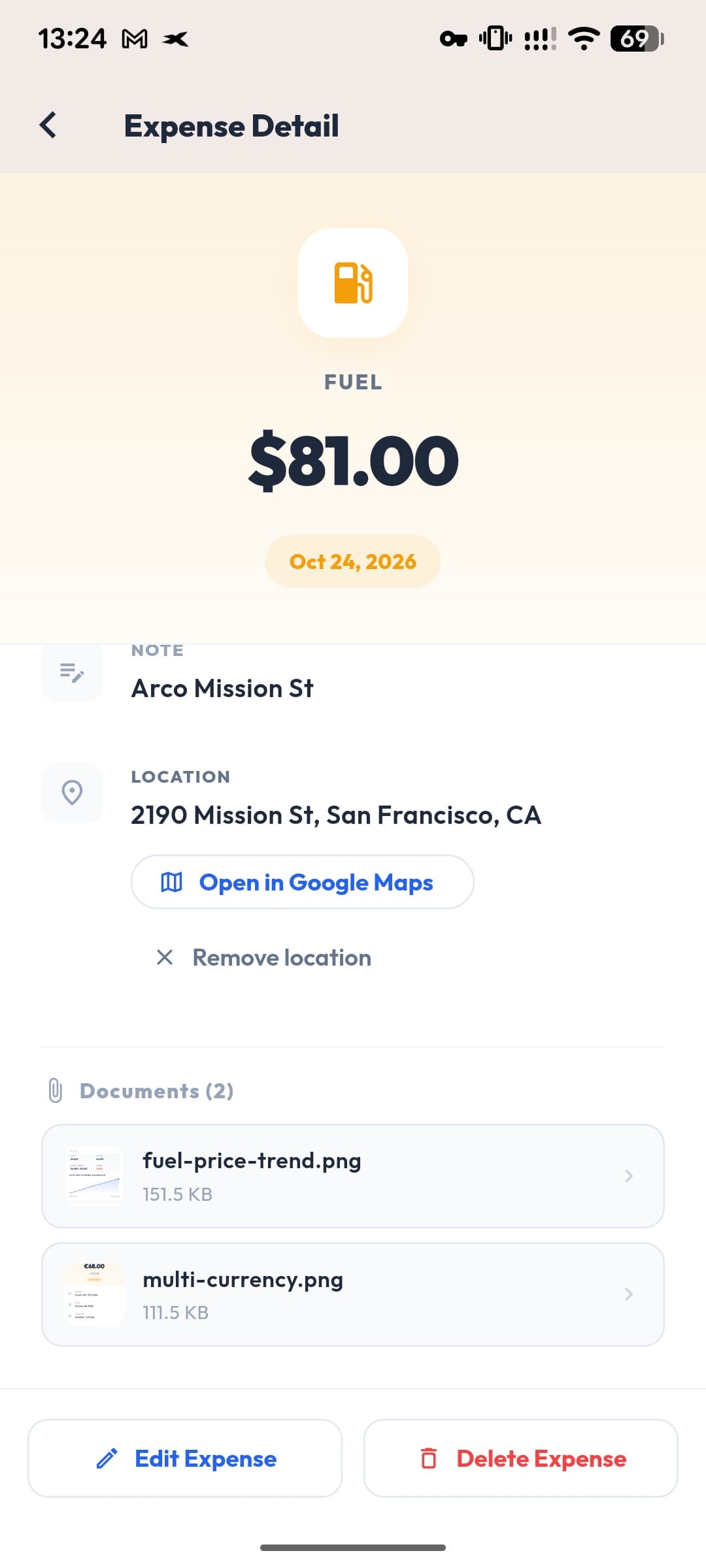
- Files
- Photos · PDFs
- Stored
- On your phone
- Backup
- Included
- Per expense
- Several
Proof when you need it
Warranty claims, insurance cases and resale all go smoother with the original invoice.
Private storage
Attachments live on your device, not on a server.
Backed up with you
ZATO’s backup file includes your attachments, so a new phone doesn’t mean lost receipts.
Photos, scans and PDFs
Add a photo from the camera or gallery, or pick a PDF invoice from your files. Several attachments per expense are fine.
Works with the scanner
After an AI receipt scan you can attach the same photo to the expense in one tap.
Questions about receipt photos
Are my receipts uploaded to the cloud?
No. Attachments are stored on your phone and included in the backup file you export.
Can I attach PDFs?
Yes — photos and PDF documents can be attached.
What happens when I change phones?
Export a ZATO backup on the old phone and restore it on the new one; your attachments come along.
Works well with
- AI receipt scannerSnap a fuel or car receipt and ZATO’s AI reads the total, date, station and fuel details for you. You review every value before saving.
- Backup & restoreExport one ZATO backup file with your vault documents, receipt photos and car photos; restore it on a new phone without losing anything.
- Document vaultKeep your car registration, insurance, inspection and vignette documents on your phone, per car — stored only on your device, never uploaded.
See what your car really costs.
Expenses, reminders, documents and driver chat — on Android and at app.getzato.com. 90 days of Pro free.
