Scan a receipt, skip the typing
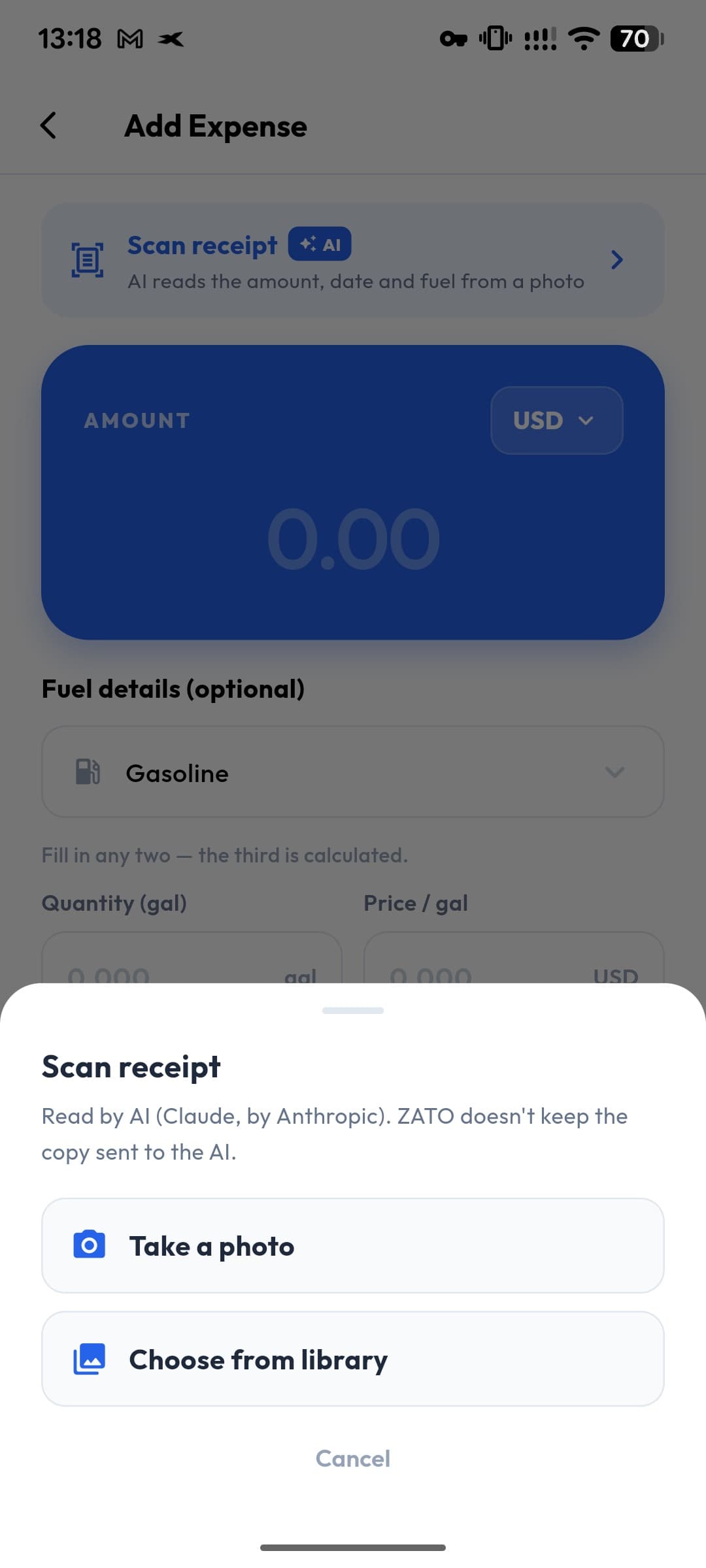
ZATO’s AI receipt scanner reads a photo of your receipt and fills in the expense for you — total, date and shop, and for fuel the quantity, unit price and fuel type. You check and edit every value before anything is saved.
- Reads
- Total, date, shop
- Fuel
- Litres, price, type
- Scans per day
- 30
- Photos stored
- Never
Fuel receipts, fully read
Quantity (L, gal, kWh or kg), price per unit and fuel type — Gasoline, Diesel, LPG, CNG or Electric — straight into the fuel calculator.
You stay in control
Every value appears in a review sheet: edit it, untick it, or cancel. Nothing touches your expense until you tap Apply.
Private by design
The photo is sent to the AI service only to be read and is not stored by ZATO. A one-time notice explains this before your first scan.
How it works
- 1
On Add expense, tap Scan receipt.
- 2
Take a photo or pick one from your gallery.
- 3
Review the values the AI found — edit or untick any of them.
- 4
Tap Apply and save the expense.
Smart about fuel
If you scan a fuel receipt while another category is selected, ZATO notices that it looks like a fill-up and offers to switch the expense to Fuel, so the litres and price per litre land in the right fields.
Fair limits
Each account can scan up to 30 receipts per day, which is far more than any driver needs. Photos up to 3 MB in JPEG, PNG or WebP work best — a sharp, well-lit photo gives the best results.
Questions about ai receipt scanner
What does the receipt scanner read?
The total, the date and the shop or station name. For fuel it also reads the quantity, the unit (L, gal, kWh or kg), the price per unit and the fuel type.
Does ZATO keep my receipt photo?
No. The photo is sent to the AI service to be read and is not stored by ZATO. You can choose to attach it to the expense yourself — attachments stay on your phone.
Is the AI scanner free?
It is a Pro feature. Every new account gets 90 days of Pro free, no card needed.
Can I scan receipts on the web?
Not yet — receipt scanning is in the Android app. The web app at app.getzato.com is for viewing, editing and exporting.
Works well with
- Fuel log & calculatorLog every fill-up in seconds: enter any two of litres, price per litre and total — ZATO calculates the third. Gasoline, Diesel, LPG, CNG, Electric.
- Receipt photosAttach receipts, photos and PDFs to any car expense. They stay on your phone and are included in your ZATO backup.
- Car expense trackingTrack every car expense in 12 categories — fuel, service, insurance, parking, tolls and more — per car, in 28 currencies. Free for 90 days.
See what your car really costs.
Expenses, reminders, documents and driver chat — on Android and at app.getzato.com. 90 days of Pro free.
