Move to a new phone without losing a paper
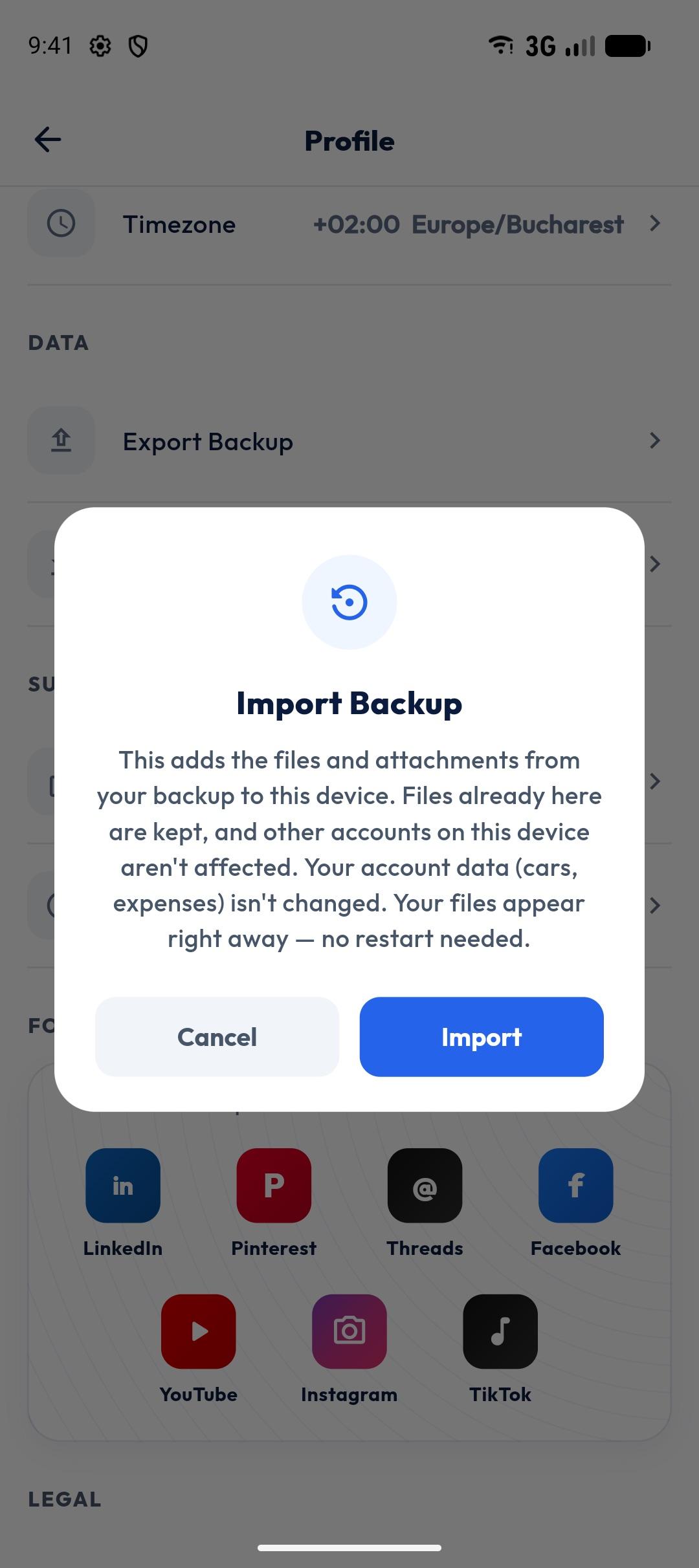
ZATO’s backup packs everything that lives only on your phone — vault documents, receipt attachments and car photos — into one file you save where you like, and restores it on a new phone by merging it with what’s already there.
- Format
- .zip
- Includes
- Docs · receipts · photos
- Save to
- Drive, Files, email…
- Restore
- Merges
You hold the copy
The backup is a file you save to Google Drive, your files or email — ZATO doesn’t keep it.
Safe merge
Restoring adds what’s missing instead of overwriting, and rejects damaged or malicious archives.
Expenses are already safe
Your expenses and reminders live in your ZATO account; the backup covers the files on your phone.
How it works
- 1
Open Profile and tap Export Backup.
- 2
Save the file to Drive, your files or email.
- 3
On the new phone, sign in and tap Import Backup.
- 4
Pick the file — your documents and photos are back.
Why a file, not a cloud?
Your car documents are personal. A backup file you control keeps them off third-party servers while still letting you move them.
When to back up
Before changing phones, resetting your device, or after adding important documents.
Questions about backup & restore
Does ZATO back up my documents automatically?
No — you export a backup file when you want and choose where to save it.
Will restoring delete my current documents?
No — restoring merges the backup into what’s already on the phone.
Works well with
- Document vaultKeep your car registration, insurance, inspection and vignette documents on your phone, per car — stored only on your device, never uploaded.
- Receipt photosAttach receipts, photos and PDFs to any car expense. They stay on your phone and are included in your ZATO backup.
- Vault lockProtect ZATO’s document vault with your fingerprint, face or device PIN. Optional, and stays unlocked for 5 minutes after you open it.
See what your car really costs.
Expenses, reminders, documents and driver chat — on Android and at app.getzato.com. 90 days of Pro free.
