Track every car expense in one place
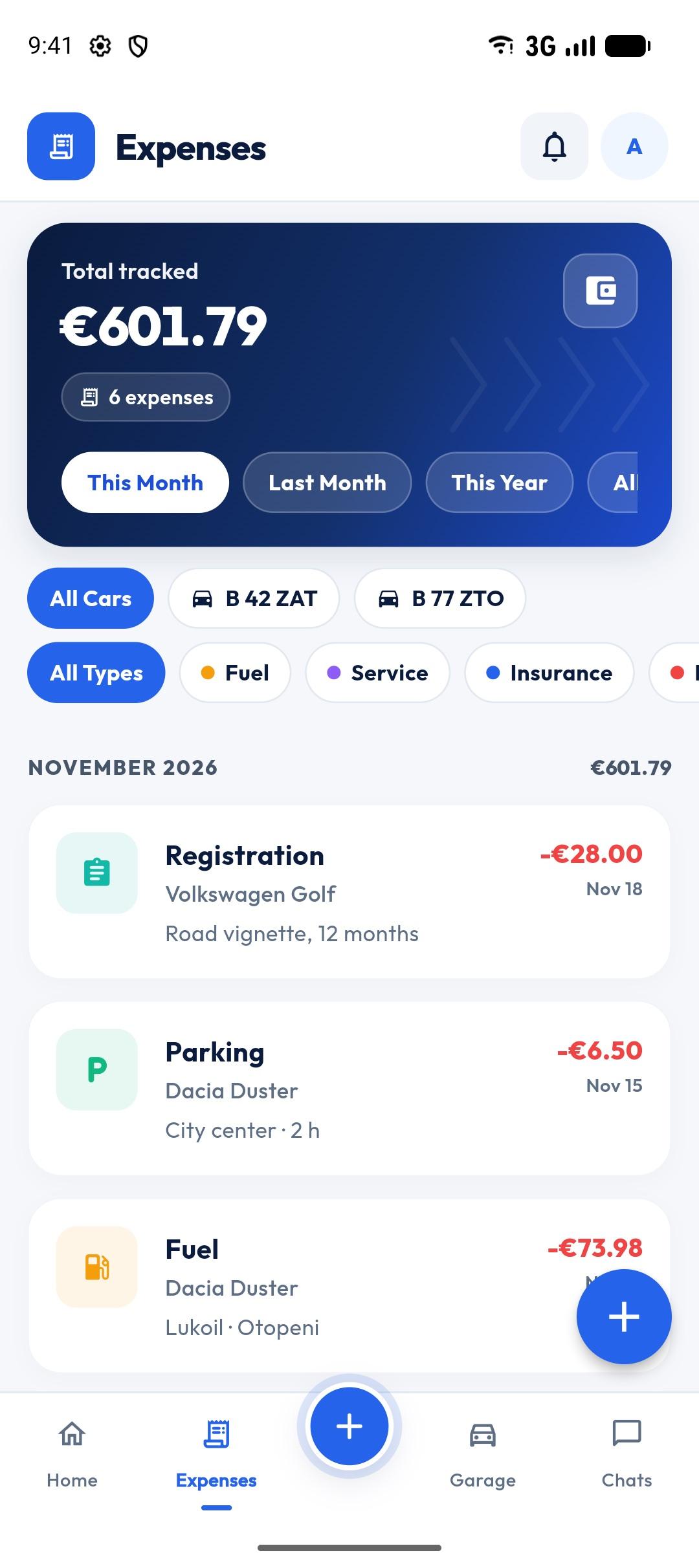
ZATO is a car expense tracker that logs every cost of owning a car — fuel, service, insurance, repairs, parking, tolls, registration and more — per car, with the odometer reading, so you always know what your car really costs.
- Categories
- 12
- Currencies
- 28
- Cars
- Up to 3
- Free trial
- 90 days
12 clear categories
Fuel, Service, Insurance, Repairs, Parking, Tolls, Registration, Car Wash, Tire Rotation, Tires, Fines and Custom — every cost has a home.
Per car, with mileage
Each expense belongs to a car and can carry the odometer reading, which also feeds that car’s mileage history.
Find anything fast
Filter by period, car and category; on the web, search by shop or note and export to CSV.
How it works
- 1
Tap + and choose Add expense.
- 2
Enter the amount, pick the car and the category.
- 3
Optionally add the date, odometer, a note, a receipt photo or the location.
- 4
Save — totals, reports and reminders update straight away.
Why track car expenses?
Most drivers underestimate what their car costs by a wide margin, because the big items — insurance, inspection, repairs — come once or twice a year and fuel is spread over dozens of small payments. Logging every cost in one place turns those scattered payments into a real monthly figure you can plan around.
Built for more than one car
Pro and trial accounts can keep up to three cars side by side. Every list, total and report can be filtered to one car or show all of them, so a family car and a work car never get mixed up.
Questions about car expense tracking
Is ZATO free?
Every new account gets 90 days of Pro free, no card needed. After that, viewing your history, reminders for your primary car and driver chat stay free; adding and editing expenses is part of ZATO Pro.
Can I track expenses for several cars?
Yes. With Pro (or during the trial) you can keep up to 3 cars and filter every list and report by car.
Can I log expenses in another currency?
Yes. ZATO supports 28 currencies and converts each expense to your base currency using the exchange rate of the expense date.
Can I use it on my computer?
Yes — the same expenses are available at app.getzato.com, where you can add, edit, search and export them.
Works well with
- AI receipt scannerSnap a fuel or car receipt and ZATO’s AI reads the total, date, station and fuel details for you. You review every value before saving.
- Fuel log & calculatorLog every fill-up in seconds: enter any two of litres, price per litre and total — ZATO calculates the third. Gasoline, Diesel, LPG, CNG, Electric.
- Multi-currencyLog car expenses abroad in 28 currencies. ZATO converts each one to your base currency with the exchange rate of the expense date.
- Car cost reportsMonthly spending vs last year, categories, cost per km, fuel stats and a year-end estimate — clear car cost reports for any period.
- ZATO on the webOpen ZATO on any computer at app.getzato.com: dashboard, expenses with search and CSV export, reports, mileage charts, reminders and the expense map.
See what your car really costs.
Expenses, reminders, documents and driver chat — on Android and at app.getzato.com. 90 days of Pro free.
