A fuel log that does the maths
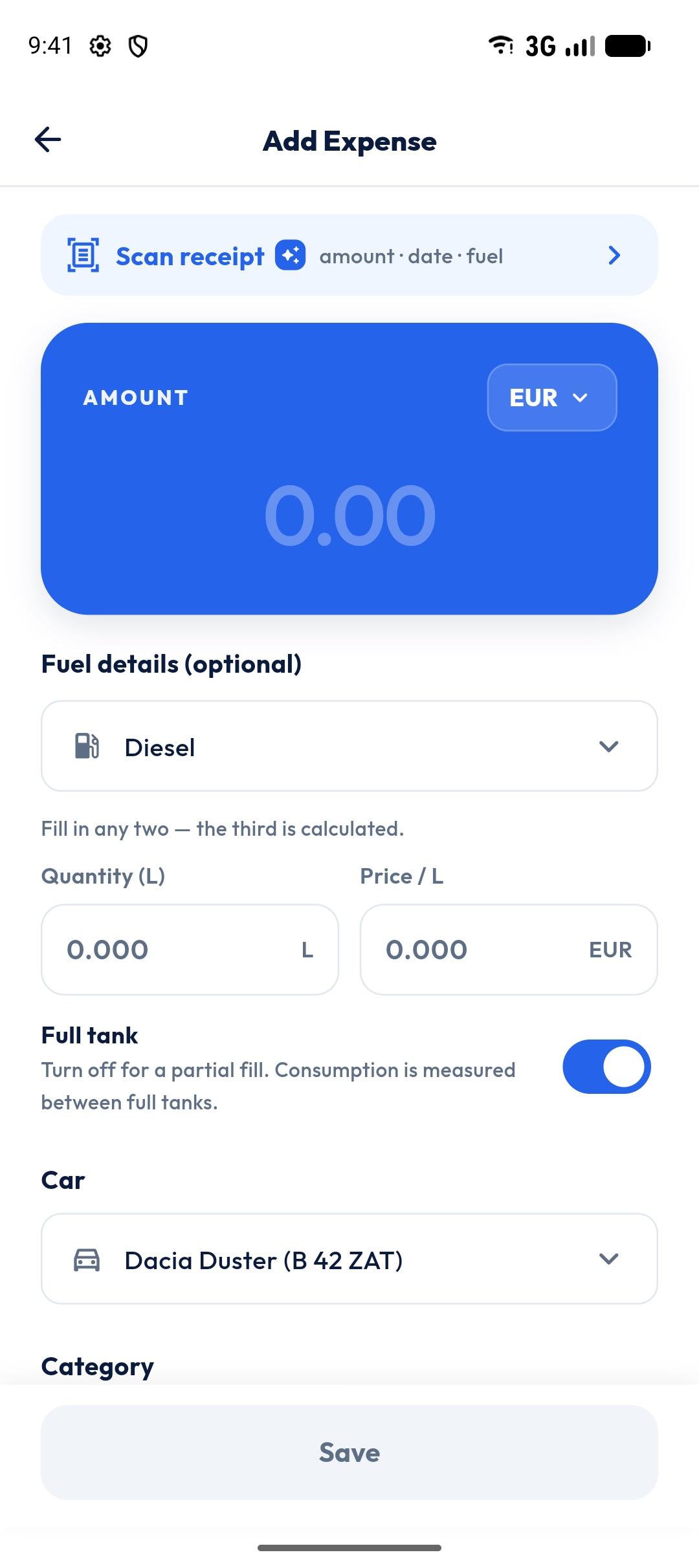
ZATO’s fuel log records every fill-up with the quantity, the price per unit and the fuel type. Type any two of quantity, unit price and total, and the built-in calculator works out the third — no calculator app needed at the pump.
- Fill types
- 5
- Enter
- Any 2 of 3
- Units
- L, gal, kWh, kg
- Full tank
- Tracked
Any two of three
Litres and total? Price per litre and total? Whatever is on the receipt, the third value is calculated for you.
Every fuel type
Gasoline, Diesel, LPG, CNG and Electric. Dual-fuel and plug-in hybrid cars see their two likely fuel types first.
Full-tank aware
Mark full-tank fills (the default) and ZATO can measure real consumption between them.
How it works
- 1
Add an expense and choose Fuel.
- 2
Enter any two of quantity, price per unit and total.
- 3
Check the fuel type and the full-tank switch.
- 4
Add the odometer reading and save.
Made for dual-fuel cars
A Gasoline + LPG car fills up with two different fuels. ZATO keeps them apart, so prices, quantities and consumption are measured per fuel type instead of mixed together.
The same on the web
The web app at app.getzato.com uses the exact same fuel calculator, so a fill-up typed on your computer behaves just like one typed on your phone.
Questions about fuel log & calculator
Do I have to enter litres and price per litre?
No — enter any two of quantity, price per unit and total, and ZATO calculates the third.
Does ZATO support LPG, CNG and electric cars?
Yes. Fill-ups can be Gasoline, Diesel, LPG, CNG (kg) or Electric (kWh), and cars can be Gasoline + LPG, Hybrid or Plug-in Hybrid.
Litres or gallons?
Volume follows your distance unit: litres with kilometres, US gallons with miles.
Works well with
- Fuel consumptionSee your car’s real fuel consumption in L/100 km or MPG, measured full tank to full tank, per car and per fuel type. CNG and EVs too.
- Fuel price trendChart the price you paid per litre or gallon over time, per fuel type: latest, average, lowest, highest and the change since the start.
- AI receipt scannerSnap a fuel or car receipt and ZATO’s AI reads the total, date, station and fuel details for you. You review every value before saving.
See what your car really costs.
Expenses, reminders, documents and driver chat — on Android and at app.getzato.com. 90 days of Pro free.
