A QR tag that lets people reach you — not your number
ZATO creates a QR tag for your car that you can display behind the windshield. Anyone who scans it can message you through ZATO about your car — a blocked exit, lights left on — without ever seeing your phone number. And when you see a ZATO tag on someone else’s car, you can scan it right from the app.
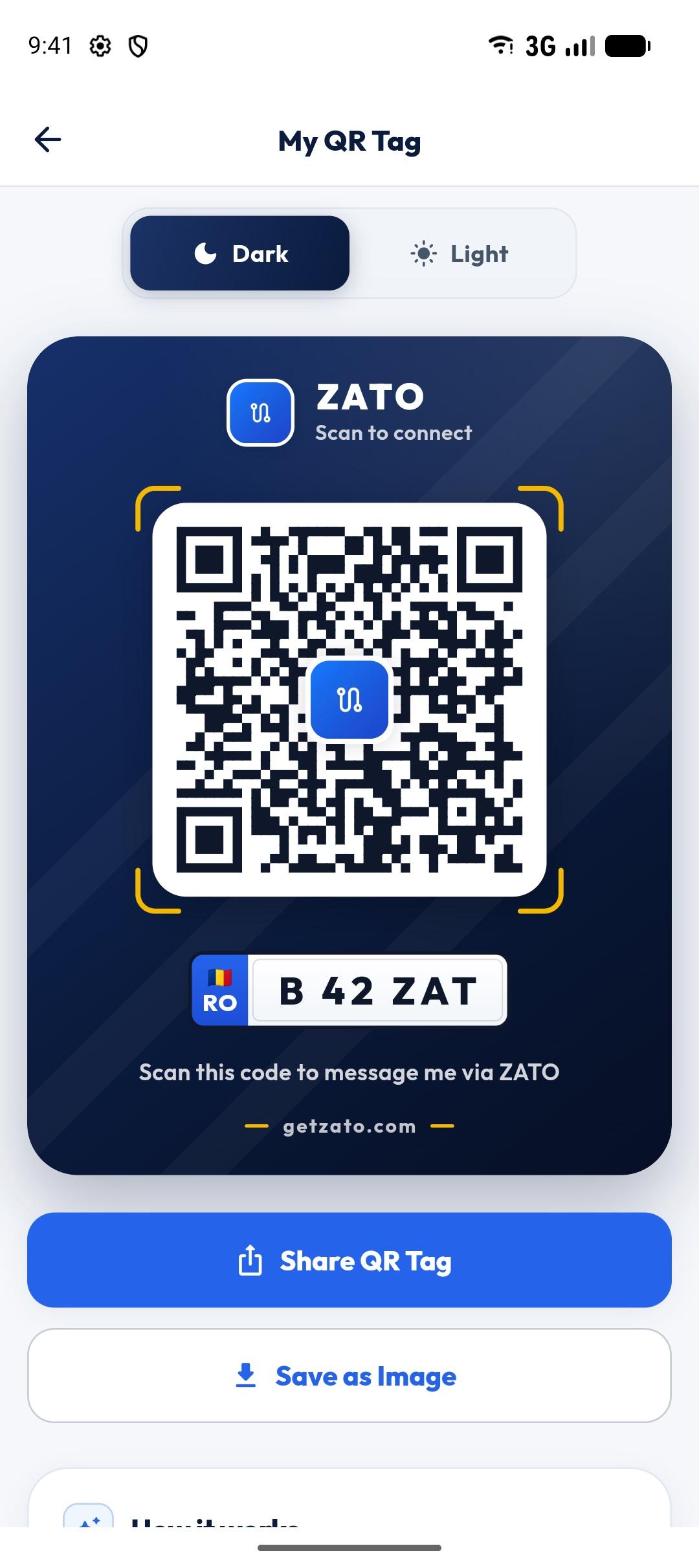
- Styles
- Dark · Light
- Your number
- Never shown
- Scan
- Any camera or in ZATO
- Price
- Free
No phone number on the dashboard
Unlike a note with your number, the tag hides your identity and contact details.
Opens a chat
Scanning opens a ZATO chat with the car’s driver — in the app, or the store if they don’t have it yet.
Two looks
A dark or light card with your plate, ready to share as an image and print.
Scan tags in the app
In Chats, tap the QR button and point the camera at a ZATO tag. ZATO finds the driver first, and the chat is only created when you tap Open chat.
How it works
- 1
Open your car and tap My QR Tag.
- 2
Choose the dark or light style.
- 3
Share the image and print it.
- 4
Place it behind the windshield.
Why not just leave your number?
A phone number on the dashboard can be photographed and misused. A ZATO tag only lets people message you inside ZATO, and you can stop it any time by making the car private.
Polite by design
Chats follow ZATO’s rules — traffic situations only, no spam — and can be reported or blocked.
Scanning someone else’s tag
Open Chats, tap the QR button and point the camera at the tag on the car (there’s a flashlight for dark parking garages). ZATO looks up the driver and shows what it found; nothing is sent and no chat is created until you tap Open chat. It also tells you when a code isn’t a ZATO tag, when no driver is found, or when the car is your own — and you can always type the plate instead.
Questions about qr car tag
What happens when someone scans my tag?
They are taken to a ZATO chat with you about your car; if they don’t have ZATO, they are shown where to get it.
Is my phone number visible?
No — only your plate is on the tag, and messages go through ZATO.
How do I print it?
Share the tag image from the app to your printer, email or photos, and print it like any picture.
How do I scan a ZATO QR tag?
With your phone’s camera, or in ZATO: open Chats, tap the QR button and point the camera at the tag. The chat is created only when you tap Open chat.
Works well with
- Driver chat by plateBlocked in? Lights on? Message the owner of any car by its license plate in ZATO — free, private, no phone numbers shared.
- Anonymous chatChat with drivers without showing your name or photo: notifications show only your plate. A ZATO Pro feature.
- GarageKeep up to 3 cars in ZATO’s garage: make, model, plate, fuel type, photo, mileage and total spent — each with its own expenses and reminders.
See what your car really costs.
Expenses, reminders, documents and driver chat — on Android and at app.getzato.com. 90 days of Pro free.
