All your cars, one garage.
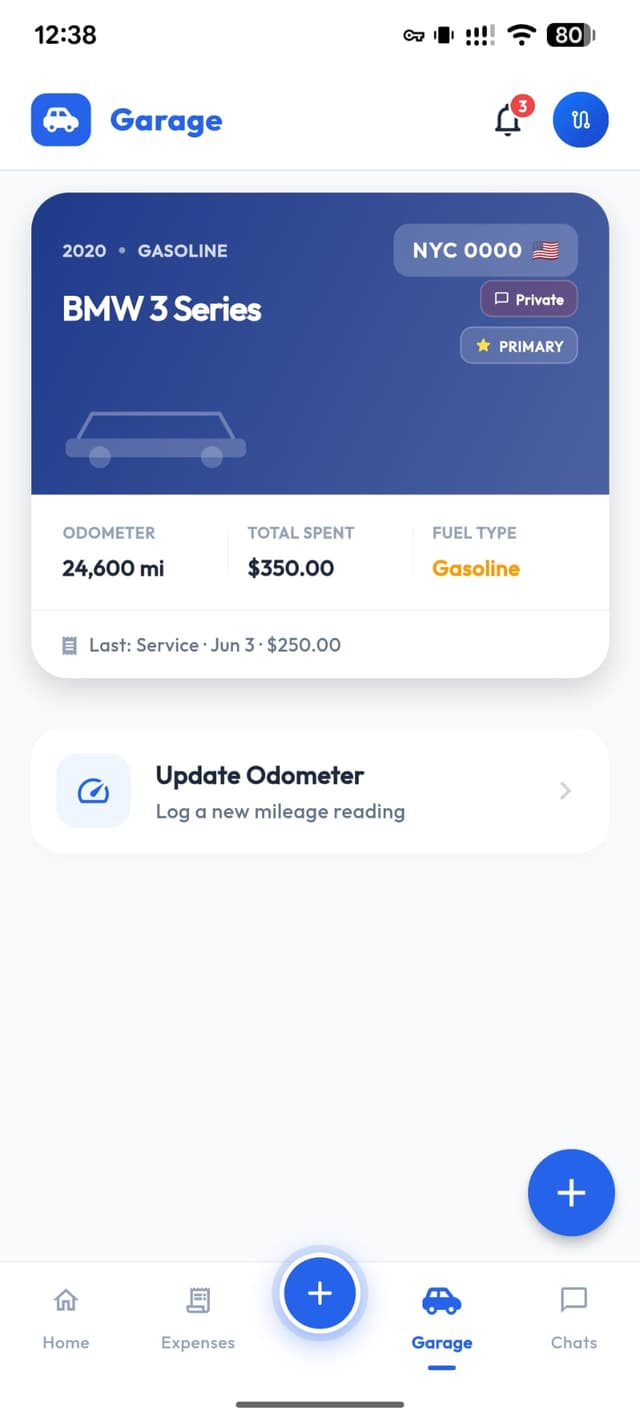
Add up to 3 vehicles and manage each one completely independently — expenses, service reminders, reports, and odometer history. Switch between them in a tap.
Your whole fleet, organised
Each car has its own full profile. Switch between them with a single tap.
This year
€1,240
14 entries
Expenses
3 active
Reminders
48,200 km
Odometer
This year
€2,105
14 entries
Expenses
3 active
Reminders
48,200 km
Odometer
This year
€780
14 entries
Expenses
3 active
Reminders
48,200 km
Odometer
Up to 3 cars
Add your personal car, a second vehicle, or a company car. Each one gets its own complete profile with full expense and service history.
Switch in one tap
Managing multiple cars has never been easier. Tap the car icon at the top and switch instantly — all data loads immediately.
Everything per car
Every expense, every reminder, every report stays linked to its car. Nothing gets mixed up — your data is always clean and separate.
How to add a car to ZATO
Takes about 30 seconds.
- 1Open ZATO and tap the garage icon
- 2Tap Add Car and enter your plate number
- 3Fill in make, model, and year — or just the plate
- 4Done — start logging expenses and setting reminders instantly
One car free, three cars with Pro
Your first car is free forever — no subscription needed. Add a second or third car with ZATO Pro, included in your free 90-day trial.
Frequently Asked Questions
Everything about the garage feature in ZATO.