Every kilometre, remembered.
Log your odometer reading whenever you fill up or visit service. ZATO builds your complete mileage history automatically — and tells you exactly when your next service is due.
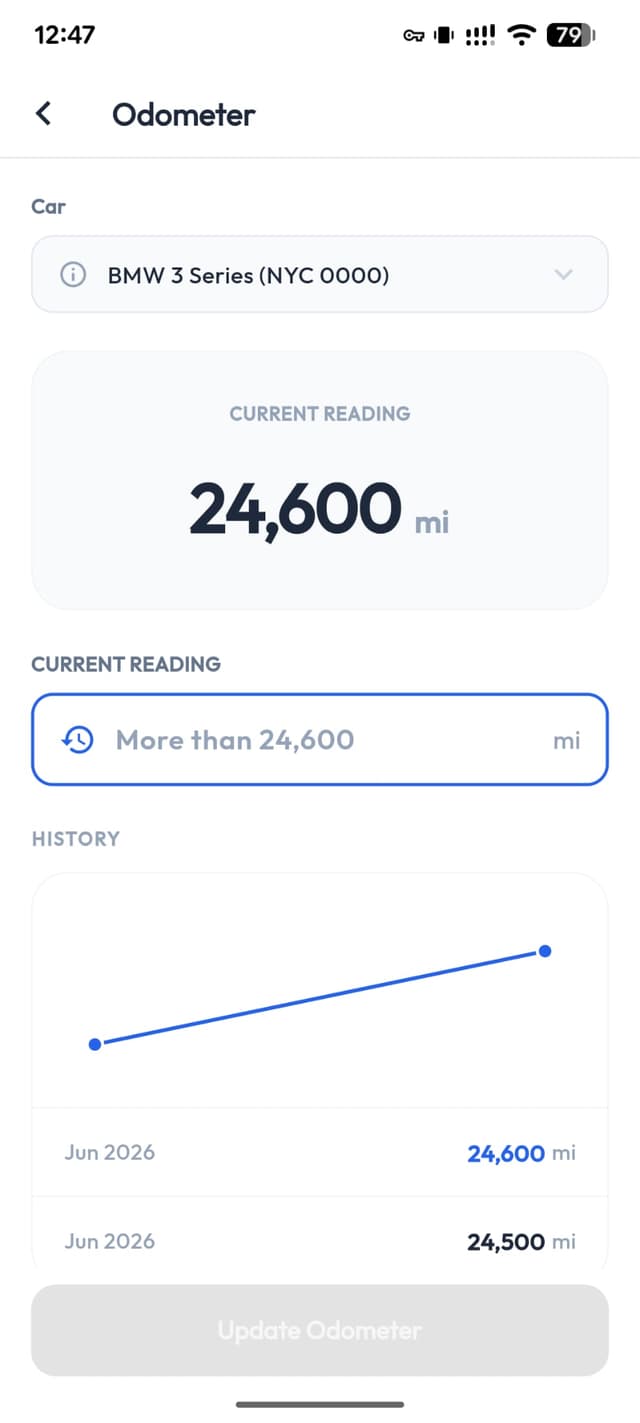
Your full mileage timeline
Every reading, every trip — sorted automatically. Distance calculated for you.
11,450 km
Total this year
1,906 km
Avg / month
18
Entries logged
May 28, 2026
48,200 km
Service visitMay 14, 2026
47,860 km
Fuel top-upApr 29, 2026
47,340 km
Fuel top-upApr 12, 2026
46,860 km
Long tripMar 30, 2026
46,250 km
Fuel top-upLog every reading
Add an odometer reading in seconds. ZATO calculates the distance since your last entry automatically — no mental maths required.
Full mileage timeline
See every reading in chronological order — date, mileage, and distance driven since last entry. Your complete driving history at a glance.
Powers service reminders
Odometer data feeds directly into your service reminders. Log a reading and ZATO calculates exactly when your next oil change or tyre rotation is due.
How to log an odometer reading
Takes under 10 seconds.
- 1Open ZATO and select your car
- 2Tap the Odometer tab
- 3Enter your current reading and confirm
- 4Done — ZATO calculates distance since last entry automatically
Included in your free trial
Full odometer history during your 90-day trial — unlimited entries, full timeline, service integration included. After the trial, odometer history continues with ZATO Pro.
Frequently Asked Questions
Everything about odometer history in ZATO.